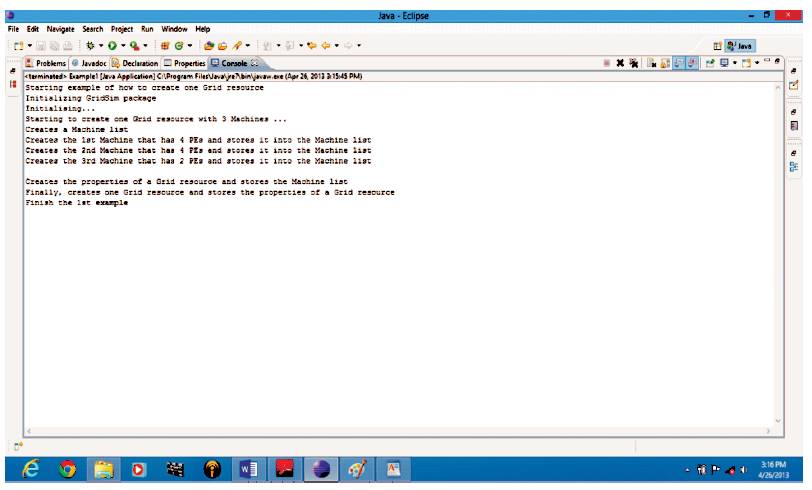
Figure 1. Grid Resource Creation in GridSim
GridSim is a famous Java-based grid simulator with a clear focus on Grid environment. This simulator is based on entities: Grid users, brokers (bargaining on behalf of users) and resources. These entities can have customized characteristics. In this paper, the author has discussed about how to create a Grid Resource, Users, Gridlets and Entities in GridSim to start the simulation as well as the submission and retrieving of Gridlets (job/task) to Grid Resources in GridSim. The author has also introduced some enhancements in the GridSim. Machine Entity (ME) is treated as a dump entity object in GridSim 4.0 and is not able to participate in any decision making activities. The author has proposed that, the ME should be active and participate in load balancing at its level. In order to implement Load balancing model, the author has developed an application which uses the simulated the Grid environment i.e, GridSim. It has been implemented in the application by using Java programming language over the GridSim 5-2_2, to run the application completely on GridSim package.
Peer-to-Peer/Grid computing has emerged as a potential next generation platform for solving large-scale problems in science, engineering, and commerce. It is expected to involve millions of (heterogenous) resources, scattering across multiple organizations, administrative domains, and policies. The management and scheduling of resources in such a large-scale distributed systems are complex and therefore, demand sophisticated tools for analysing and fine-tuning of the algorithms before applying them to the real systems [1-5].
Simulation appears to be the only feasible way to analyse algorithms on the large-scale distributed systems of heterogenous resources. Unlike, using the real system in real time, simulation works well, without making the analysis mechanism unnecessary complex, by avoiding the overhead of co-ordination of real resources. Simulation is also effective in working with very large hypothetical problems that would otherwise require involvement of a large number of active users and resources, which is very hard to coordinate and build at a large-scale research environment for investigation purpose [1].
To understand the whole GridSim mechanism, Load balancing algorithm has been implemented in the GridSim as a reference using the following steps to create each and every entity required to run the application, are as follows.
Steps to create Grid users in GridSim [1-10] are straightforward. For an application to have more than one user, unique User ID needs to be considered. In the next step, when the Gridlets (jobs) were created at that time the User ID has to be specified, to which the Gridlet, (job) belongs, therefore Grid user creation precedes Gridlet (job) creation. The steps to create a Grid User are as follows and also shown in Figure 1.
(i) Create an object of type ResourceUserList.
ResourceUserListuserList = new ResourceUserList();
(ii) The above class will create a user list, that will contain the list for the users who are active. Add Grid users to this list specifying a unique ID, first user has to have ID equal to 0. Just keep on adding Grid users to this list if we wish to create more of them. We need to give the user id for each of the users, with the following command.
userList.add (0);
Figure 1. Grid Resource Creation in GridSim
In the terminology of GridSim, a job which can run sequentially and independently on a Grid Resource is called a Gridlet. After the creation of Grid Resource, Gridlets are created and submitted in the GridSim. The job which can run on a Grid resource is called as a Gridlet. Every Gridlet has a unique ID, which is different from another. The user provides the number of Gridlets that needs to be created, and then for each Gridlet, its length, file size, and output file size needs to be specified. The length of Gridlet, output file size, input file size, and the unique ID should be specified for simulation. Gridlet [5-17] creation can be done in two modes, first is the manual option to take care of the statistical needs of highly unpredictable Grid environment simulation [10-16]. Gridlets can be created in a manual way and secondly they can be randomly generated. The steps to create Gridlets are as follows and also shown in Figure 2.
(i) First of all we need to create a list of Gridlets and for this we use the method,
GridletList list = createGridlet();
(ii) Now to create a container to store the Gridlets by using,
GridletList list = new GridletList();
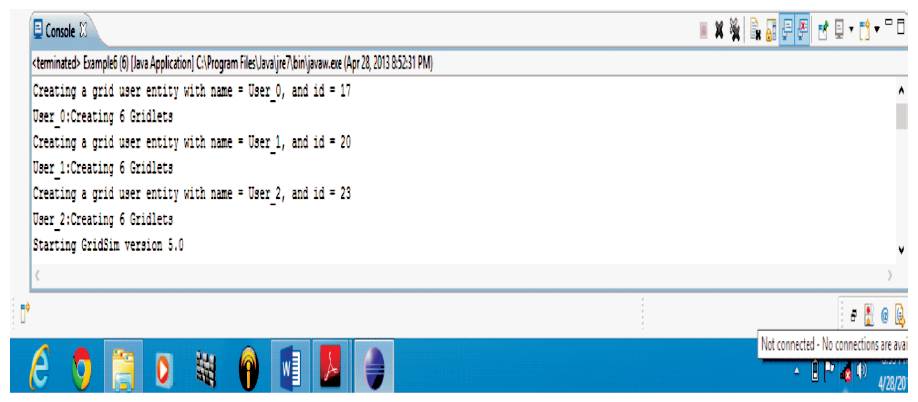
Figure 2. Creating Grid User in GridSim
The steps to create Gridlet(s) in manual modes are as follows and also shown in Figure 3.
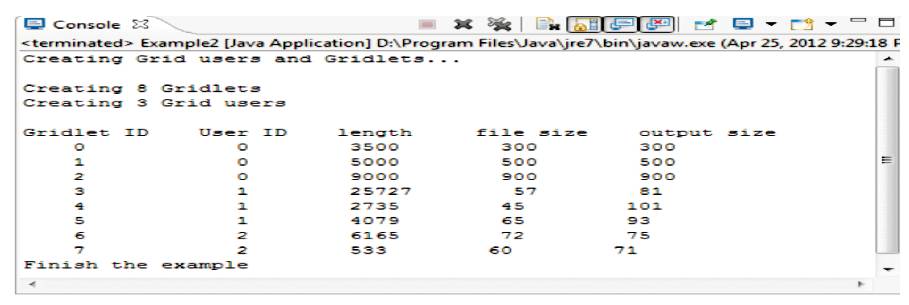
Figure 3. Gridlets and Grid Users Creation
Step 1:
Firstly, specify the file size, output file size, and length of the Gridlet.
Gridlet Gridlet1 = new Gridlet(id, length, file_size, output_size)
Step 2:
Then use Queue to keep the list of Gridlets.
GridletList list = new GridleList()
Step 3:
Store the Gridlets into a Linked-list to keep the Gridlets together.
list.add(Gridlet1)
Step 1:
An object of type random is required.
Step 2:
An object of Gridlet List is required.
GridletList list = new GridleList();
Step 3:
GridSimStandardPE needs to be set.
Step 4:
Randomly generate the length of the jobs, by using the standard PE to MIPS.
Step 5:
Minimum and Maximum range of the file has to be set.
Step 6:
Following are the values that are created by GridSim.
Length = GridSimStandardPE.toMIs(random.next Double()*output_size)
file_size = (long) GridSimRandom.real(100, min_range, max_range, random.nextDouble())
output_size = (long) GridSimRandom.real(250, min
_range, max_range, random. next Double())
Gridlet Gridlet = new Gridlet(id, length, file_size, output_size)
A Grid Resource simulated in GridSim contains one or more machines. Similarly, a machine contains one or more PEs (Processing Elements or CPUs). Below are the steps to be followed in Java code to create a Grid Resource.
1. Create an object of type MachineList to store one or more Machines
MachineListmList = new MachineList();
2. A Machine contains one or more PEs. So, create an object of type PEList to store this PEs before creating a Machine.
PEList peList1 = new PEList ();
3. Create PEs and add these into the object of PEList created in step 2. Specify the unique ID of the PE as first parameter and its MIPS (Millions of Instruction per Second) rating as second parameter.
peList1.add (new PE (0, 377));
4. Create a Machine with its unique ID and the PE List associated with it.
mList.add (newMachine (0, peList1));
5. Repeat the steps from step 2 to step 4 to create additional number of machines.
6. Create a Resource Characteristics object which will store the properties of a Grid Resource, its architecture, Operating System, List of Machines, Allocation Policy which can be Time Shared or Space Shared, Time Zone and Cost of the Resource in terms of $ per PE Time Unit.
Resource Characteristics resConfig = new Resource Characteristics (arch, os, mList, Resource Characteristics. TIME_SHARED, time_zone, cost);
7. In the final step, create an object of Grid Resource specifying its name, communication speed, peak load, off-peak load, holiday load and list of holidays along with the Resource Characteristics object which was created in step 6.
GridResourceGridRes= new GridResource (name,baud_rate, seed, resConfig, peakLoad, offPeakLoad, holidayLoad, Weekends, Holidays);
It is used to start the actual simulation. Till now, Grid Resource(s), Grid User(s) and Gridlet(s) have been successfully created in GridSim. To actually start the simulation in GridSim, a GridSim entity is created, without which a Null pointer Exception at runtime occurs. Hence, we use the method GridSim.init() which takes parameters as: Calendar Type Instance, Trace Boolean Flag with which we can control the tracing of GridSim Events, List of files or processing names to be excluded from any statistical measures and report name. Figure 4 describes the resultant Grid Entity Creation.
String [] exclude_from_file = {""};
String [] exclude_from_processing = {""};
String report_name = null;
GridSim.init (num_user, calendar, trace_flag, exclude_from_file, exclude_from_processing, report_name);
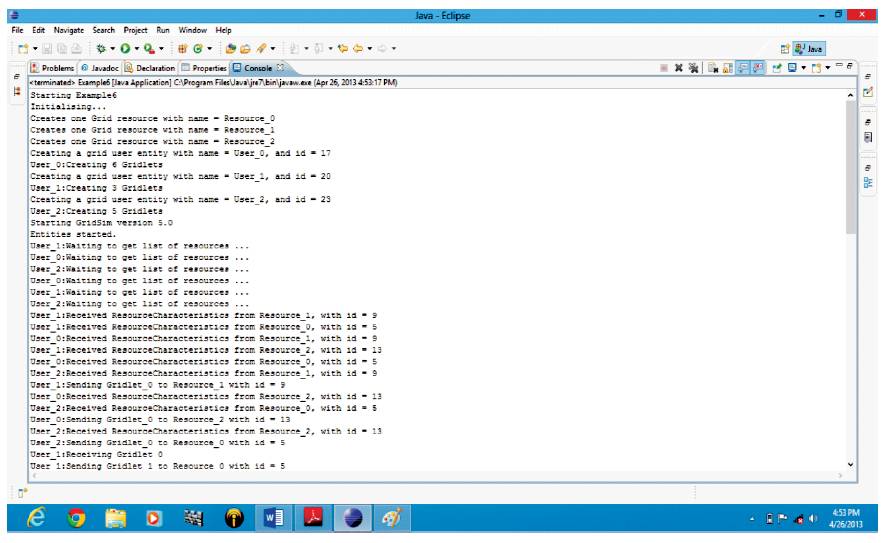
Figure 4. Grid Entity Creation in GridSim
The steps to be followed to submit the Gridlets to the Grid Resources are given below and also shown in Figure 5:
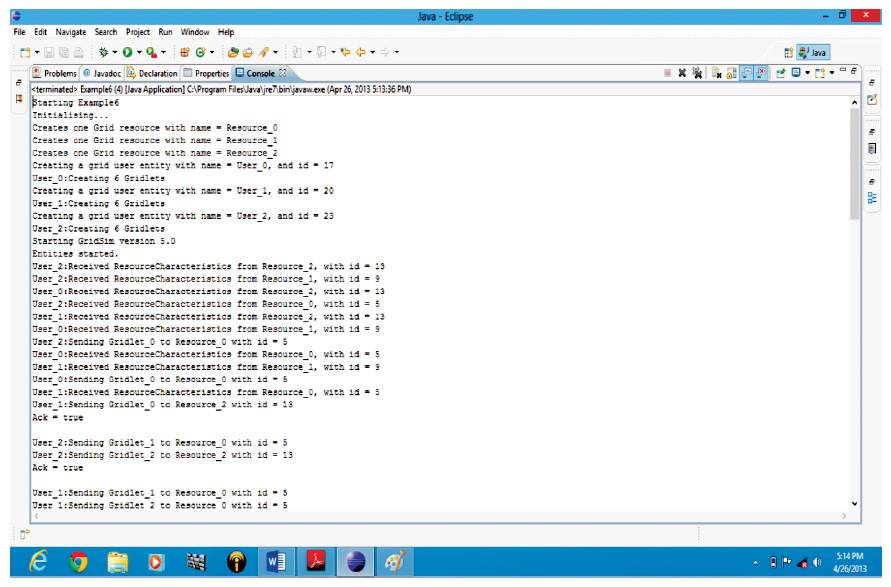
Figure 5. Gridlet Submission in GridSim
1. Since GridSim package uses multi-threaded environment, the request for list of Grid Resources might arrive earlier before one or more Grid Resource Entities and manage to register themselves to Grid Information Service (GIS) entity. Therefore, we wait for a few microseconds using the Hold method of GridSim Class.
2. The GIS will return only the Grid Resource IDs.
3. Using the IDs obtained in step 2, retrieve Resource Characteristics from Resource Entity.
super.send (resourceID, GridSimTags.SCHEDULE_NOW, GridSimTags.RESOURCE _CHARACTERISTICS, this.ID_);
resChar = (ResourceCharacteristics) super.receiveEvent Object();
resourceName = resChar.getResourceName();
4. From the Gridlet list, take a Gridlet at a time and then submit to the Grid .
5. Resource Entity with the Grid Resource ID with which it intends to submit. The last parameter in the method called below signifies that need an acknowledgement for a Gridlet is successful submission.
SuperGridletSubmit(Gridlet, resourceID[id], 0.0, true);
6. Record the statistics in the GridSim report.
7. Repeat the steps 5 and 6 according to the number of Grid Resources and Gridlets.
8. Create a list of type Gridlet List to keep a record of the Gridlets submitted.
Figure 6 and Figure 7 show the received back finished Gridlets from the Grid Resources as given in the following steps:
1. Create empty List of type Gridlet List named as Received list
2. For each Gridlet submitted, call the method,
Gridlet = (Gridlet) super.receiveEventObject();
3. Add this Gridlet to the received List created in step 1.
4. Repeat the steps 2 and 3 for all the Gridlets submitted.
5. Then compare the received list with the submitted list.
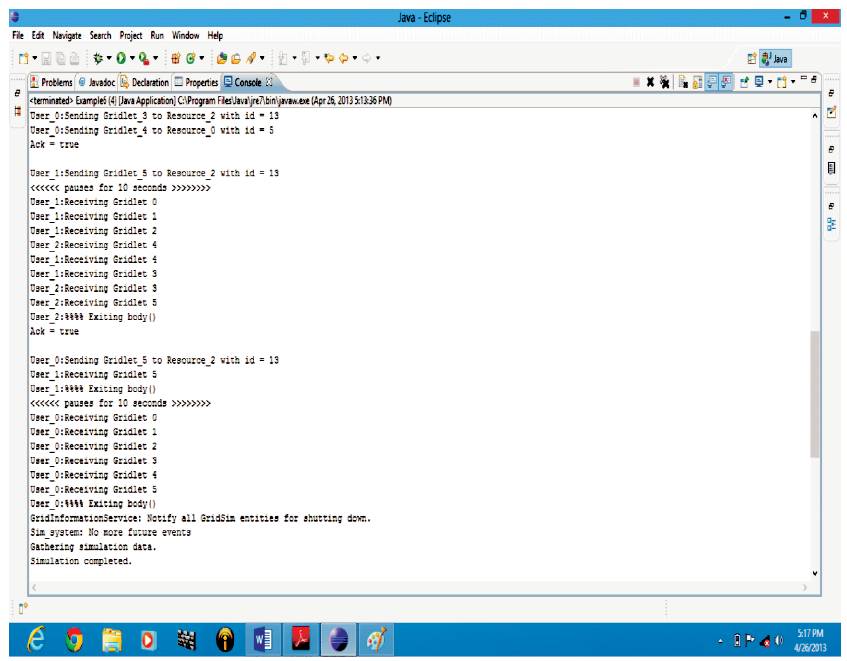
Figure 6. Gridlet Retrieval in GridSim
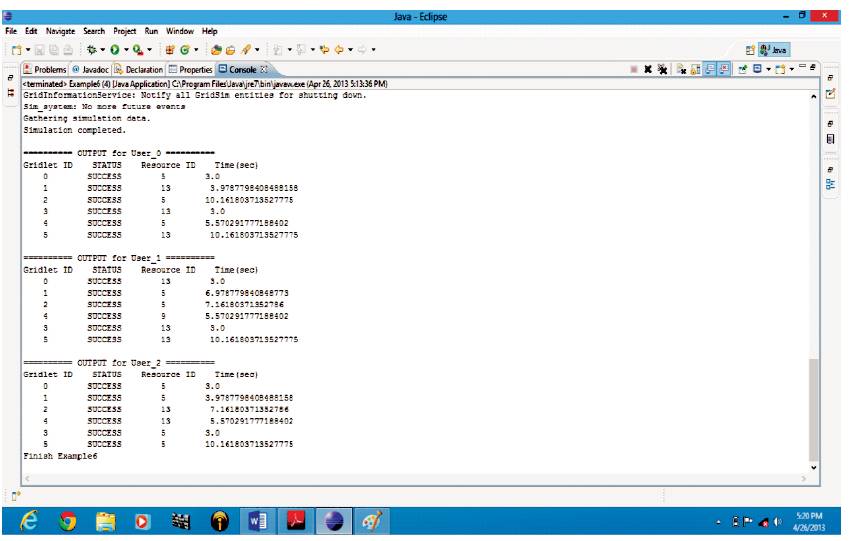
Figure 7. Gridlet Info Retrieval in GridSim
To shut down the simulation in GridSim, three methods have been used. They internally clear all the buffers, and release all the files and the written reports.
GridSim.shutdownGridStatisticsEntity();
GridSim.shutdownUserEntity();
GridSim.terminateIOEntities();
In previous sections, the author has described how to create users, Gridlets and resources in GridSim, and now, it is necessary to know how to use the GridSim packages and how a Grid user submits it's Gridlets to Grid resources, which are shown in Figure 8. The steps are as follows:
Step 1:
Gets an ID for this entity.
this.ID_ = new Integer(getEntityId(name) );
Step 2:
Create a list of Gridlets or Tasks for this Grid user.
this.list_ = createGridlet(this.ID_.intValue() );
Step 3:
The method handles the communication among GridSim entities, and Waits to get list of resources, Resource list contains the list of resource IDs and not Grid resource objects.
resourceID[i] = ( (Integer)resList.get(i) ).intValue();
Step 4:
Requests to resource entity to send its characteristics.
Step 5:
Waiting to get a resource characteristics.
resChar = (ResourceCharacteristics) super.receive EventObject();
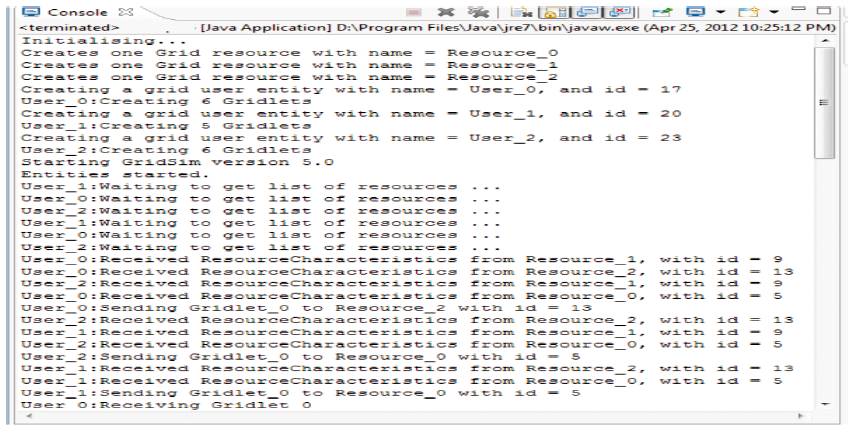
Figure 8. GridSim packages
The Workload entity sends Gridlets to a particular Grid Resource entity. The steps are as follows:
Step 1:
Initialize the GridSim package. It should be called before creating an entity. A program cannot run without initializing GridSim, or else it gets a run-time exception error.
Step 2:
Creates one or more Grid Resource entities having total number of Grid resources, rating of each PE, total number of PEs for each Machine, number of Machines, etc., and adds a resource name into an array.
resArray[i] = resName;
Step 3:
Get the list of trace files. The format should be text, gzip or zip.
Step 4:
Creates one or more Workload trace entities. Each Workload entity can read only one trace file and submit its Gridlets to one Grid resource entity.
Step 5:
Starts the simulation by using,
GridSim.startGridSimulation();
Step 6:
Prints the Gridlets when the simulation is over.
To implement as a specific algorithm in GridSim, few source files have to be changed such as, machine.java in a GridSim package. A calculation which is required has been done in this module. Implement the algorithms by using the create Grid Resource, Resource Characteristics, Machine (i, a, MIPSRating), Machine List () methods, etc., as described above. Figure 9 and Figure 10 related to the output are illustrated.
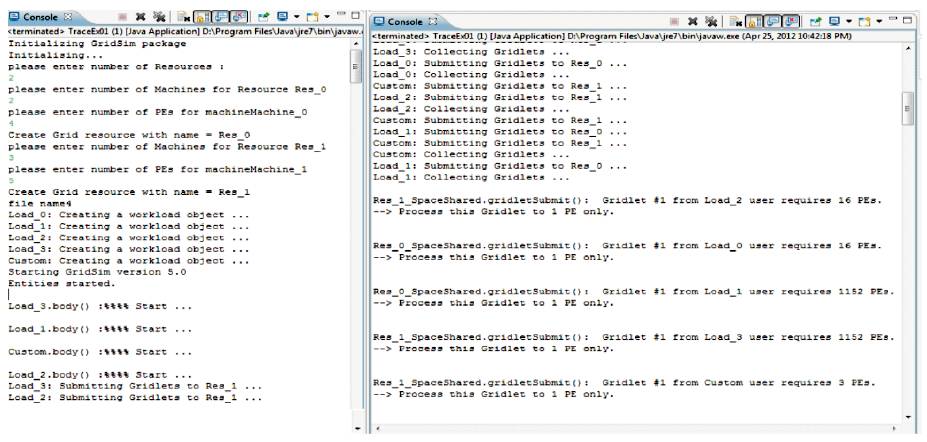
Figure 9. Workload Window
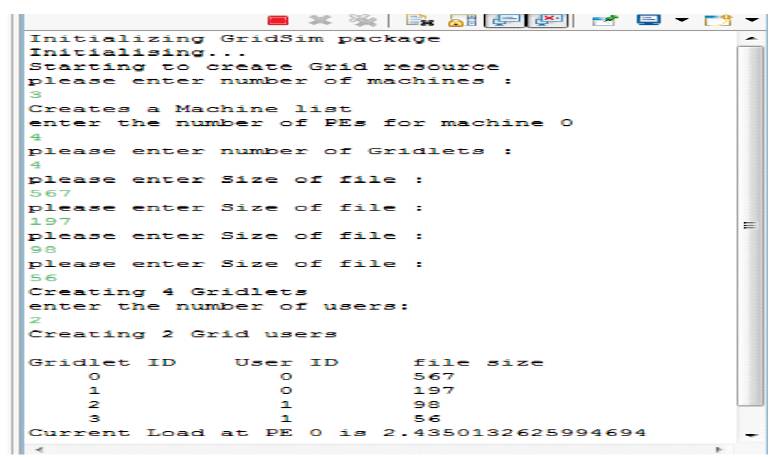
Figure 10. Resource Window
From the output Figures, it is clear that the number of machines, PEs and grid are given by the user. Current Load at PE ID 0 is shown in the output Figure 11, where current load is estimated by summing of file size of griddled divided by the actual capacity of PE (i.e. Rating).
The output shown in Figure 11 indicates that the resource has 3 Machines (with ID 0, 1 and 2) and Machine Id-2 has 6 PEs. Load at each PEs is shown in the Figure 11, and by using this load, differentiate the PEs in different categories. From this output, it is clear that 3 PEs are under lightly loaded category and 3 PEs are in the overloaded category. Each list holds PE ID and PE Load. List and list size is shown in Figure 11.
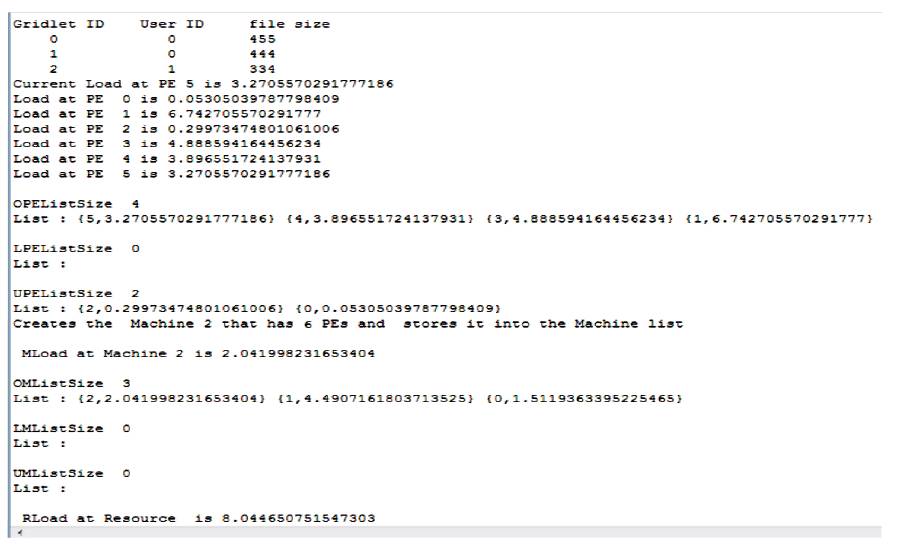
Figure 11. PE Level Window
Figure 12 to Figure 14 are the output of the Test.java program, in which two arguments (for space shared) need to be passed and 5 (denotes test number 5). After creation of the resources, the users actual process is started, and a user who has submitted his gridlets to the resources is shown in Figure 12. Some users require acknowledgement of their jobs, as shown in Figure 8. Resources move their gridlets to another lightly loaded resource. Information related to the Gridlets such as, Gridlet ID, status, resource Id in which the Gridlets run and their total execution time is shown in Figure 14.
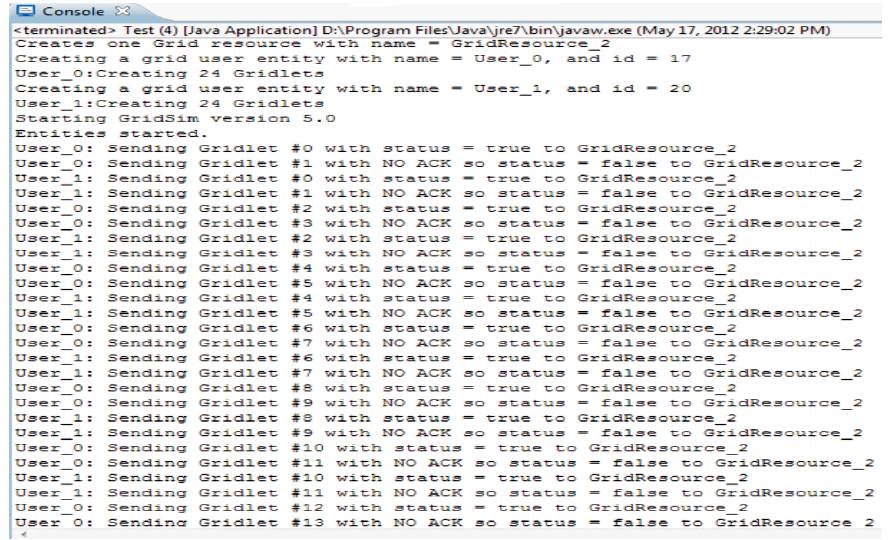
Figure 12. Submit Gridlets
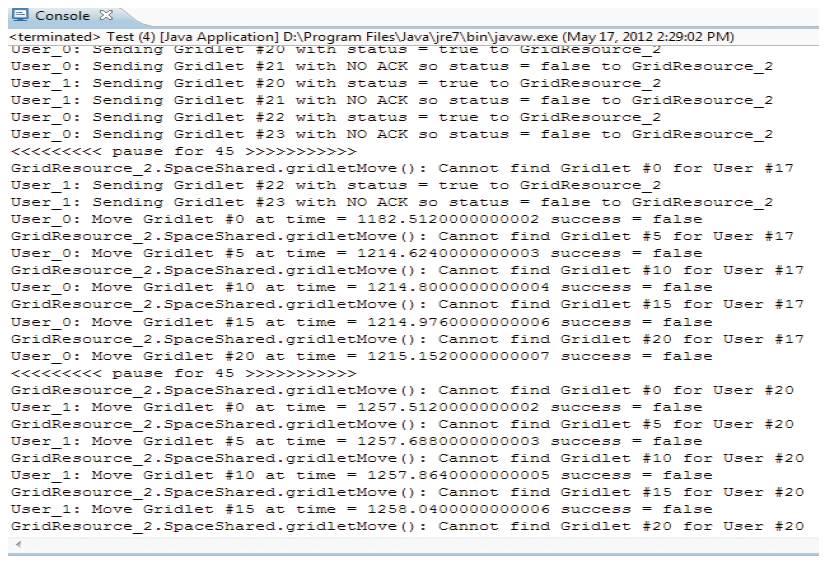
Figure 13. Move Gridlets
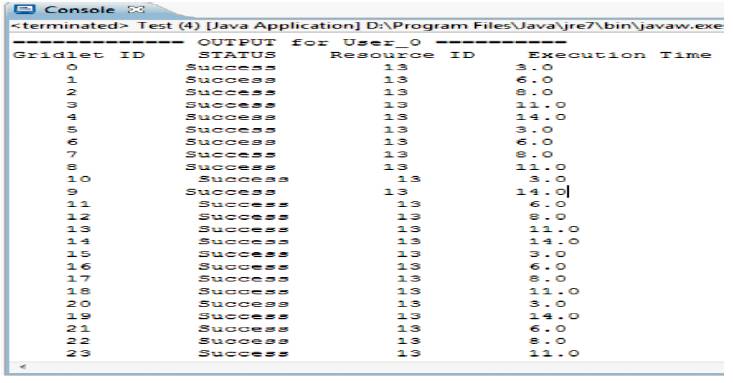
Figure 14. Output Window
The author has discussed GridSim installation and implementation process for resource modeling and scheduling simulation. GridSim simulates time and space shared resources with different capabilities, time zones, and configurations. It supports different application models that can be mapped to the resources for execution by developing the simulated application schedulers. The author has discussed the creation of Grid User, Gridlets, Grid Resources, and Grid entities of the GridSim toolkit along with the steps involved in the submission and retrieval of Gridlets to Grid resources and Grid resources to Gridlets respectively. Proper use of GridSim packages and workload entries has been shown in this paper. In this way, Architecture of Grid Computing in which, different types of algorithm have been applied to get better results according the algorithm in Grid environments.
The GridSim toolkit software with the source code can be downloaded from the project website: http://www. buyya.com/gridsim/